
Mastering AI-Powered Code Refactoring with JetBrains AI Assistant
Discover how JetBrains AI Assistant is changing the way developers refactor code by offering smart, context-aware suggestions inside your IDE. Learn how this powerful tool can boost productivity, improve code quality, and help you grow as a developer.
Mastering Code Refactoring with JetBrains AI Assistant
Refactoring code has always been a critical yet time-consuming part of software development. Whether you're dealing with technical debt or improving performance, the manual process can take considerable time. What if artificial intelligence could streamline that effort? Tools like the JetBrains AI Assistant are making this possible by helping developers enhance code quality, readability, and performance more efficiently than ever before.
In this guide, you'll learn how to effectively refactor code with AI using JetBrains' advanced features. Whether you're just starting out or refining your professional workflow, we’ll break down how AI is transforming development practices and how you can apply it to build better projects, prepare for interviews, and accelerate clean code delivery.
What Is AI-Powered Code Refactoring?
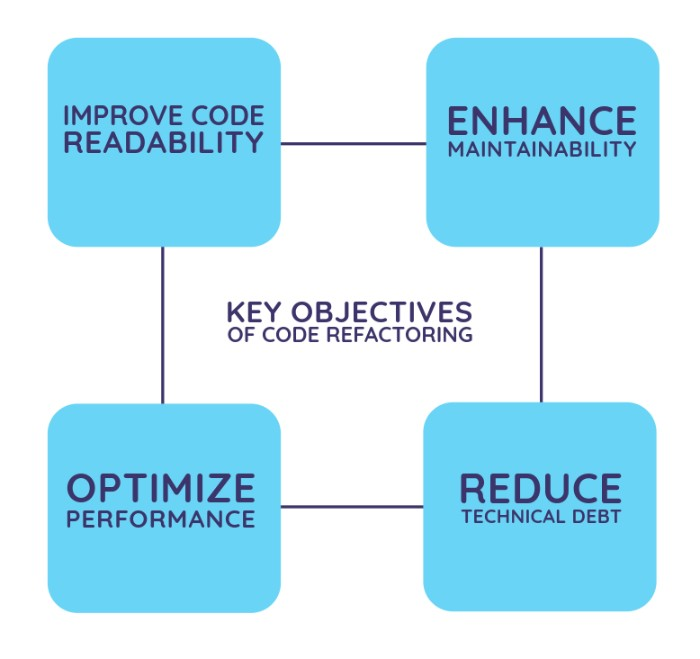
AI code refactoring uses artificial intelligence to automatically analyze source code and suggest or apply improvements without changing its functionality. These improvements tend to focus on performance, readability, structure, and long-term maintainability.
JetBrains AI Assistant takes this a step further by integrating AI directly into your IDE, such as IntelliJ IDEA or WebStorm. This allows it to provide dynamic, context-aware recommendations during development and review.
AI-powered refactoring tools apply machine learning and code reasoning to restructure code while keeping its behavior intact. This makes software development faster and more reliable.
Why Use AI for Code Refactoring?
Top Benefits of Using AI Tools to Improve Code Quality
Speed: Refactor large codebases in a fraction of the time required manually.
Consistency: Maintain uniform coding standards and naming conventions across your project.
Smarter Suggestions: Unlike static linters, AI understands context and offers more intelligent recommendations.
Learning Aid: Helps beginners recognize better coding patterns and understand suggested improvements.
For students and junior developers, adopting AI-assisted code improvement techniques can speed up learning by offering real-world examples of clean and maintainable code—making it easier to grasp what quality code truly looks like.
JetBrains AI Assistant Features for Code Refactoring
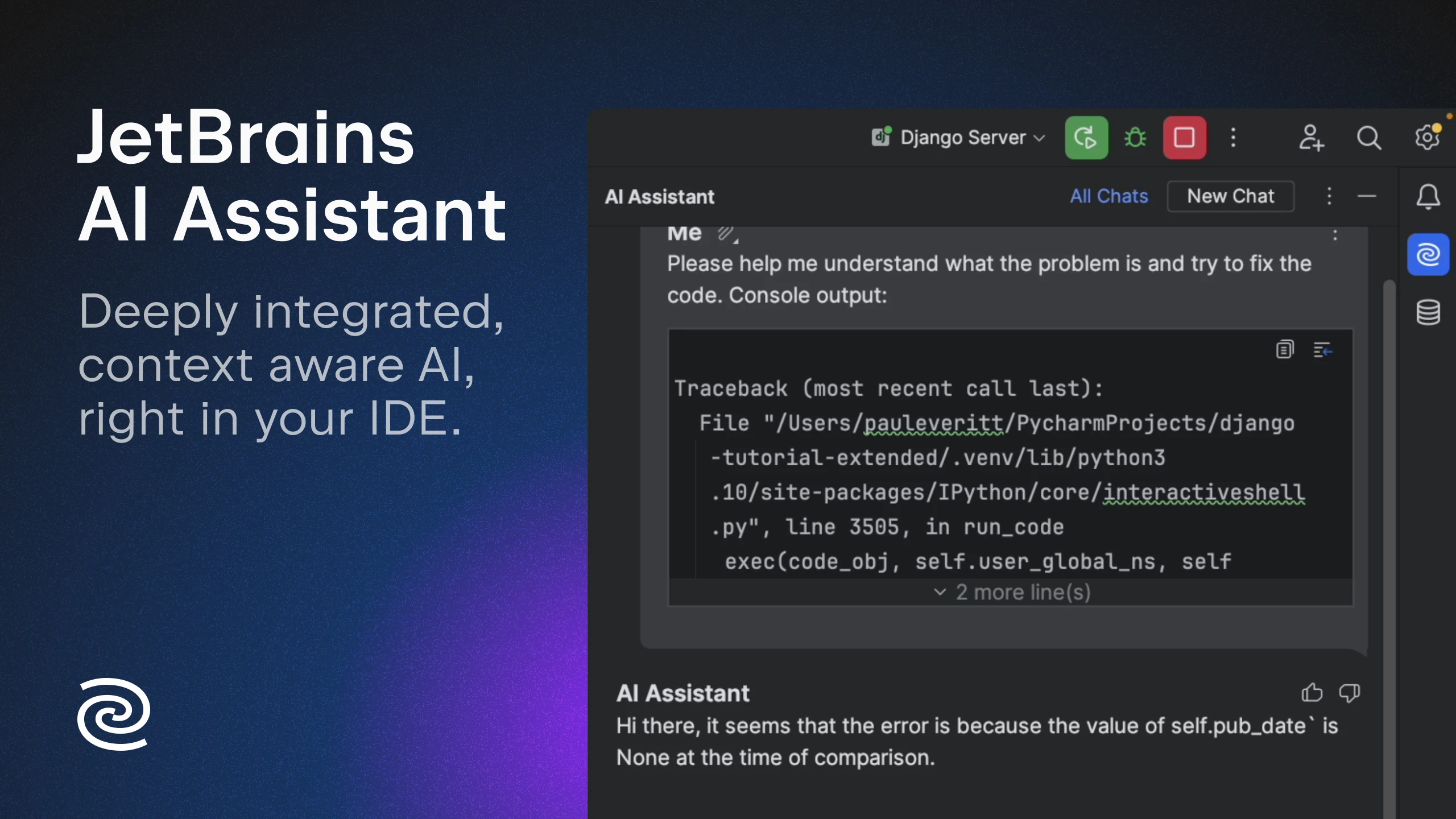
The JetBrains AI Assistant is integrated into JetBrains IDEs and provides smart, context-aware support for:
Code suggestions and rewrites: Highlight parts of your code and ask for simplification or improvements.
Docstring and comment generation: Automatically produce documentation that aligns with your code.
Test case creation: Let the AI generate unit tests based on the function’s logic.
Code explanations: Get direct explanations for unfamiliar snippets inside the IDE.
Refactoring proposals: Describe what you want to achieve, and the assistant offers structured edits.
Supported Languages
The JetBrains AI Assistant works with many of the most common programming languages used in full-stack and backend development, including Java, JavaScript, Python, and TypeScript. This makes it a powerful addition to any AI-enhanced development environment.
Step-by-Step Guide to Refactor Code with AI Using JetBrains
This straightforward JetBrains AI Assistant tutorial walks you through a practical example of AI-based code refactoring:
Open Your Project in a JetBrains IDE
Start with functional but cluttered code, such as deeply nested logic or redundant methods.Select the Code You Want to Improve
Choose a function or code block that needs cleaning up.Activate the JetBrains AI Assistant
Right-click to access AI Assistant features or open the built-in chat panel.Use a Natural Language Prompt
Type something like “Simplify this method using modern Java” or “Refactor into a reusable utility class.”Review the Suggestions
The assistant will offer proposed changes with explanations. You can accept, modify, or ask follow-up questions.Run Unit Tests
Ensure your updated code still works as expected. You can also ask the AI to help generate relevant tests.
This process makes AI-driven code refactoring for beginners approachable while remaining useful for professionals seeking cleaner, more efficient code.
Best Practices When Using AI for Refactoring
To make the most out of AI-assisted code refactoring, keep these practical tips in mind:
Be specific with prompts: Clear instructions help the AI deliver stronger results. For example, “Convert to switch-case from if-else.”
Refactor in small steps: Tackle one section of logic at a time to avoid confusion and make validation easier.
Never skip testing: Always run tests after applying AI suggestions, especially in production-level software.
Learn from the AI: Examine its changes to understand the reasoning behind them, improving your own design skills.
Use version control: Commit your code to Git before making changes, so you can safely revert if needed.
These best practices ensure AI becomes a reliable coding partner rather than a shortcut for automation.
Portfolio Project Ideas for Practicing AI-Based Refactoring
Improve Real Projects Using AI Recommendations
Whether you're building with the MERN stack, developing Java Spring Boot backends, or working on AI workflows using LangChain, refactoring your code can elevate your project significantly. Try applying AI in these scenarios:
Optimize repetitive data access logic in Spring Boot by refactoring into generic repositories.
Streamline React components by reducing unnecessary state using AI recommendations.
Use the AI Assistant to enhance code readability and auto-generate documentation before sharing on GitHub.
Applying these improvements to your projects not only boosts quality but also helps you stand out in internship or job interviews. It shows that you understand industry tools and write maintainable, scalable code.
Common Pitfalls in AI Code Refactoring and How to Avoid Them
Relying too heavily on AI: Use AI as an assistant, not a substitute. It’s your responsibility to validate changes.
Not understanding what's changed: Take time to review and understand AI suggestions before accepting them.
Being vague in prompts: Avoid general instructions like “clean this up.” Be detailed and targeted.
Neglecting project context: Provide sufficient surrounding code so the AI can give accurate recommendations.
Where to Learn More About AI-Driven Development Workflows
Interested in mastering tools like JetBrains AI Assistant and applying them in real-world development? At STEM Link, our bootcamps are designed to equip you with the skills to do just that:
MERN Full-Stack + RAG/LangChain: Build intelligent applications with React, Node.js, and vector-based databases while integrating AI automation.
Spring Boot Backend Engineering: Learn robust backend development practices and modernize legacy code with AI-driven techniques.
AI Engineering: Explore machine learning, AI tooling, and how to implement smart workflows using platforms like LangChain.
Our programs go beyond just writing code, we teach you how to build smarter, AI-augmented solutions across the development lifecycle.
Start Using AI to Transform Your Coding Workflow
Whether you're just learning or already building real projects, AI-powered refactoring tools like the JetBrains AI Assistant are valuable assets.
With consistent best practices and an understanding of how to use suggestions effectively, you can improve your coding speed, enhance your portfolio, and impress potential employers by embracing the tools that shape modern software development.
There’s no better time to begin. Open a recent project in IntelliJ IDEA or WebStorm, enable the AI Assistant, and start making your first AI-guided improvements. You might be surprised at how much you enjoy the process.
You may also like

What Is TypeSafe AI?
Discover Jev, TypeSafe AI’s System One Model for fast, type-safe, calibrated AI decisions built for software automation.

What Is Paperclip and How Does It Help You Manage AI Agent Teams?
Learn what Paperclip is, how it manages AI agent teams, controls costs, enables human approvals, and coordinates agents across different AI runtimes.

How Do You Actually Teach Engineering Judgment?
Learn how STEMLink teaches engineering judgment through a four-step approach: learn, build, test limitations, and understand why real-world systems need more.