
How to Automate Workflows with Prompts
Streamline your workflow with Fabric, the open-source AI framework that transforms prompts into reusable tools. Learn how to install Fabric, chain custom patterns, and integrate top AI models like OpenAI and Claude into your command line. Master AI automation and supercharge your productivity using this powerful open-source tool.
How to Automate Workflows with Prompts
Fabric is an open-source framework for integrating AI into your daily workflow. Created by Daniel Miessler in January 2024, it solves a specific problem: AI has no shortage of capabilities, but integrating those capabilities into your actual work is hard.
Fabric's answer is to organize reusable AI prompts called Patterns by real-world task, making them available across any tool you use.
What Are Patterns
A Pattern is a carefully crafted prompt designed to accomplish one specific task. Instead of writing the same prompt repeatedly, you use the same Pattern for summarizing articles, extracting insights from videos, analyzing code, writing essays, or dozens of other tasks.
Fabric comes with over 250 built-in patterns covering common workflows: summarizing YouTube videos and podcasts, extracting key ideas from content, writing in your own voice, analyzing opaque papers, explaining code, creating social media posts, rating content quality, and more.
You can also create custom patterns for proprietary tasks or personal workflows. Your custom patterns are stored separately from built-in ones and won't be overwritten during updates.
How It Works
Fabric works from the command line using Unix philosophy. You pipe content into Fabric, specify a pattern with the -p flag, and the model processes the input according to that pattern's instructions.
A few examples:
Summarize an article: pbpaste | fabric --pattern summarize
Extract wisdom from a YouTube video: fabric -y "https://youtube.com/watch?v=XXXXX" --pattern extract_wisdom
Analyze claims on a website: fabric -u https://example.com -p analyze_claims
Create a social media post: pbpaste | fabric --pattern write_social_media
Run a pattern with streaming output to see results immediately: pbpaste | fabric --stream --pattern analyze_code
Supported AI Providers
Fabric works with any AI provider you choose. It supports OpenAI, Anthropic Claude, Google Gemini, Ollama for local models, Azure OpenAI, Amazon Bedrock, Vertex AI, and many others including DeepSeek, Groq, MiniMax, and Mistral.
You can set up different providers for different patterns if you want to optimize for cost or capability per task. For example, route quick summaries to a cheap model and complex analysis to a premium one.
Installation and Setup

Installation is a one-liner on macOS and Linux:
curl -fsSL https://raw.githubusercontent.com/danielmiessler/fabric/main/scripts/installer/install.sh | bash
On Windows, use PowerShell:
iwr -useb https://raw.githubusercontent.com/danielmiessler/fabric/main/scripts/installer/install.ps1 | iex
Or install via Homebrew on macOS:
brew install fabric-ai
After installation, run fabric --setup to configure your API keys and select your preferred AI provider.
Key Features
REST API Server: Run Fabric as a microservice and call it from other applications via HTTP. Start the server with fabric --serve.
Ollama Compatibility: Fabric can serve Ollama-compatible endpoints, allowing applications designed for Ollama to use Fabric's patterns instead.
Web Interface: Fabric includes a built-in web interface as an alternative to command-line usage.
Pattern Chaining: Combine multiple patterns sequentially, passing the output of one pattern as input to the next.
Dry Run Mode: Preview what would be sent to the AI model without making an API call. Useful for debugging patterns before committing API credits.
Prompt Strategies: Use Chain-of-Thought, Chain-of-Draft, Tree-of-Thought, and other reasoning strategies alongside patterns.
Context and Sessions: Save conversations and context for multi-turn workflows. Reference saved context in future patterns.
Real-World Use Cases
Analyze test failures: npm test 2>&1 | fabric -p analyze_logs
Summarize git history for a PR: git log --oneline origin/main..HEAD | fabric -p create_summary
Explain a code diff: git diff HEAD~1 | fabric -p explain_code
Extract insights from 40 research papers: fabric -p analyze_paper < paper.pdf (run for each paper)
Rate content quality before reading: pbpaste | fabric -p rate_content_quality
Create threat models for security assessment: pbpaste | fabric -p create_threat_model
Why Fabric Works
The central insight is that AI doesn't have a capability problem. It has an integration problem. Fabric addresses this by making patterns universally accessible and easily composable into your actual workflows.
You don't need to switch between ChatGPT, Claude, Gemini, and Perplexity. You run one command. You don't need to rewrite the same prompt every time. You use the same pattern. You don't need to manually copy outputs between tools. You pipe the output directly.
Patterns are written in Markdown, making them readable and editable. The community contributes new patterns regularly. If a pattern doesn't do exactly what you need, you can fork it into a custom pattern or create your own from scratch.
Open Source and Community
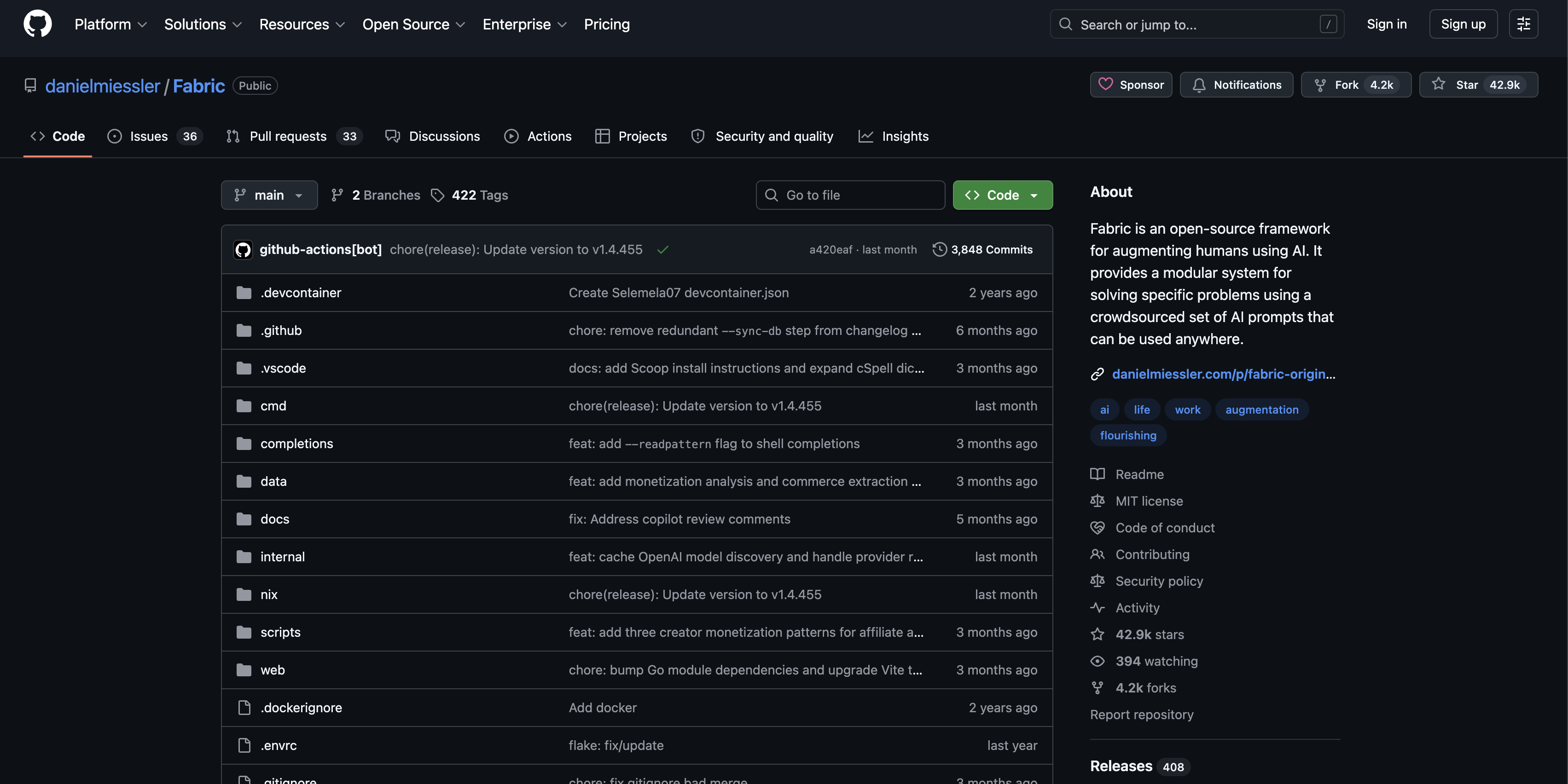
Fabric is MIT-licensed and fully open source. The entire pattern library is available on GitHub at github.com/danielmiessler/fabric, with contributions from over 200 developers.
If you create a pattern you find useful, you can share it with the community. The project uses a "wisdom of crowds" approach where community-contributed patterns will eventually outnumber the built-in patterns.
Getting Started
If you just want to use existing patterns without building anything custom, navigating the /patterns directory on GitHub shows exactly what's available. You can use any of these patterns in ChatGPT, Claude, or your AI tool of choice.
If you want the full power of the framework, install Fabric, run setup, and start piping content through patterns from your terminal. The learning curve is shallow. The benefit compounds as you build a library of custom patterns for work you do repeatedly.
Fabric won't solve the hardest AI problems. But it will make the AI you already use significantly more practical and integrated into the work you actually do.
You may also like

What Is TypeSafe AI?
Discover Jev, TypeSafe AI’s System One Model for fast, type-safe, calibrated AI decisions built for software automation.

What Is Paperclip and How Does It Help You Manage AI Agent Teams?
Learn what Paperclip is, how it manages AI agent teams, controls costs, enables human approvals, and coordinates agents across different AI runtimes.

How Do You Actually Teach Engineering Judgment?
Learn how STEMLink teaches engineering judgment through a four-step approach: learn, build, test limitations, and understand why real-world systems need more.