
AI-Driven Fullstack Developer
Professional Certification
Master Industry-Grade AI Development Skills by Building a Cutting-Edge Smart Hotel Booking Platform



Our top performers are hired by
Do yourself a favor,
Watch the video to unlock
the secrets of the program
Become a Full-Stack AI developer with STEMLink

Who's a fullstack
AI Developer
A Full-Stack AI Developer builds complete applications powered by AI capabilities like intelligent features, smart responses, decision-making, process automation, and personalized user experiences. A highly valued skill for 2025 and beyond.
How we Accelerate
your Job Placement
Top performers in our program hired within
3 Weeks to 2 Months
Average IT Student hired within
6 Months to 1 Year
You will learn the tech stack that's recognized by
Silicon Valley Companies
 JavaScript
 Typescript
 React
React TailwindCSS
 Redux
Redux Node.js and Express.js
 MongoDB
 OpenAI
 LangChain
 Clerk
Clerk Git
Git Figma
Figma Postman
💕 loved by Technical Recruiters


Our graduates succeed,
regardless of background
20,000+
Learners supported
across our programs
5,000+
Paid learners enrolled
in our bootcamps
400+
Career placements
into leading companies
You after AI-Driven
Full-Stack developer bootcamp

Software Engineer
Projects
AI-Powered Hotel Booking Platform
150+ Hours of coding in React, ExpressJs, MongoDB, Building RAG Pipelines and many more
AI-Driven Full-stack Developer Professional Certification
May 2025 - August 2025
Soft Skills
Technical Skills
JavaScriptTypescriptReactTailwindCSSReduxNode.js and Express.jsMongoDBOpenAILangChainClerkGitFigmaPostman


How you become a high potential
Software Engineer job applicant in just 4 months
Career Coaching, CV Building, Technical Interview Preparation and Project Presentation




Learn Directly from Industry Experts &
Career Coaches
Every single mentor of ours has a specialized set of skillset to guide in to more successful career placement or Development Expertise

Manupa
Technical Mentor

Tharana
Associate Software Engineer

Dilshara
Technical Consultant

Shaqeeq
Career Coach/Head of Marketing(Metana)


This is what your skillset will look like,
ReactJavaScriptTypescriptTailwindCSSReduxNodeJS ExpressJSMongoDB
 React Hook FormOpenAILangChain

Hands on experience with a
comprehensive tech stack
and generative AI
Industry Grade
Tech stack
Production Standard
Hands-on skills
Building a Cool
RAG Pipeline
Take a closer look on
what we build
Some cool things
you are gonna learn
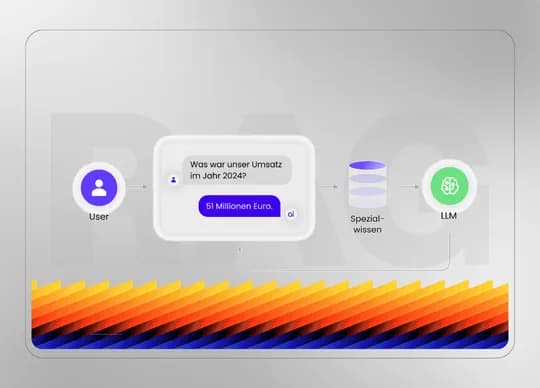
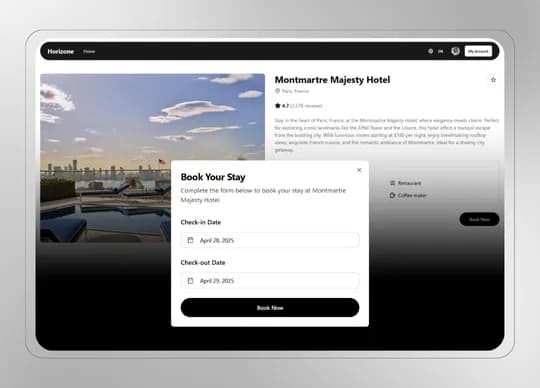
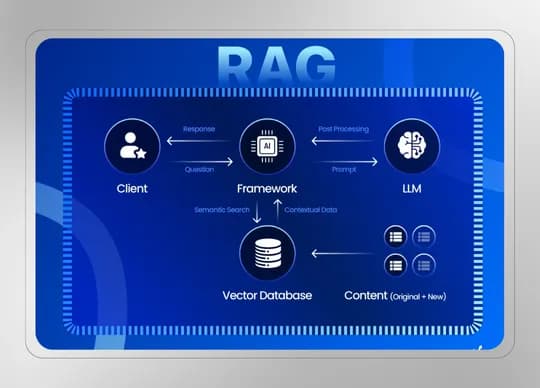
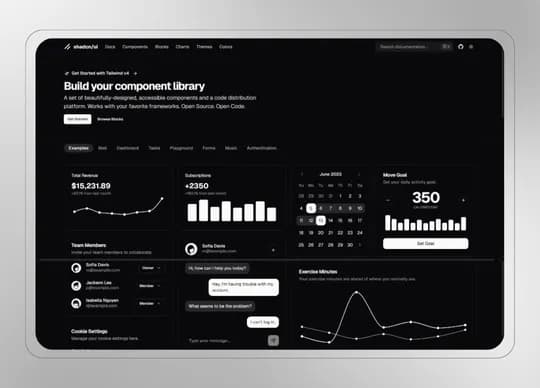
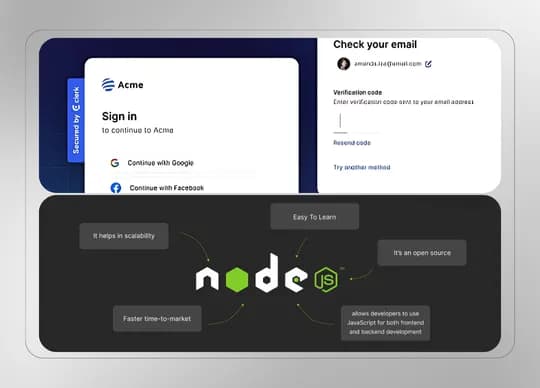
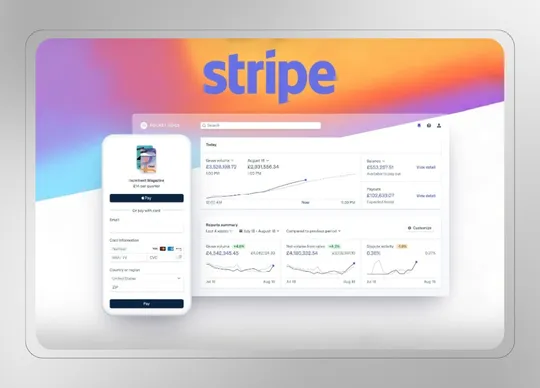
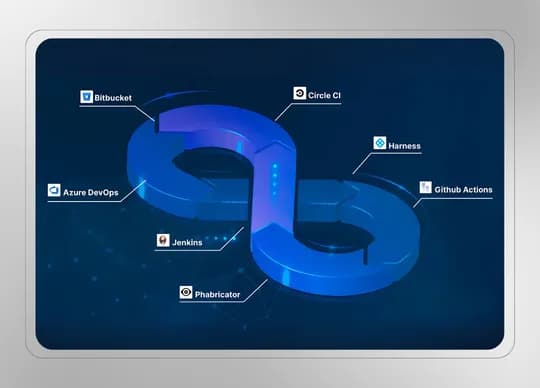
Smart Hotel Exploring Experience with AI Search utilizing RAG-Finetuning
Revolutionize the hotel search experience with AI-driven search capabilities, powered by Retrieval-Augmented Generation (RAG) and model fine-tuning. Deliver intelligent, context-aware hotel recommendations based on real-time user queries and preferences, ensuring a highly personalized discovery journey.


Checkout what previous lads have done
DoctorAid (Task management)
🔖 Introduction About the project DoctorAid is a comprehensive patient management system designed for dispensaries. It provides doctors with a web-based dashboard that facilitates the management of patient information and appointment queues. Concurrently, patients are equipped with a mobile application that allows them to oversee their family members' health and maintain their medical records efficiently. Click here to visit the marketing site : https://doctoraid.site/ [Dashboard view of the DoctorAid app] [Schedule page of the DoctorAid app] [Patient page of the DoctorAid app] 🤔 Problem space Problems to solve/Requirements to Create Doctors are still dealing with handwritten prescriptions Hard to track patients' data with consistency Long waiting queues for a session 👉Illegible Handwritten Prescriptions Handwritten prescriptions can sometimes be difficult to read, leading to medication errors by pharmacists. This can result in incorrect dosages or even the wrong medication being dispensed, posing serious health risks to patients. 👉Missing or Misplaced Patient Data Paper records are prone to being misplaced, lost, or damaged due to human error, wear and tear, or environmental factors like fire and water damage. This makes it difficult for doctors to retrieve critical patient history when needed, potentially affecting the accuracy of diagnoses and treatment plans. Goals Project goals 1️⃣ Streamline Doctor-Patient Management ✅ Provide a centralized platform for doctors to manage appointments, patient records, and prescriptions . ✅ Reduce dependency on physical files and handwritten notes , ensuring faster access to patient data . 2️⃣ Improve Appointment Scheduling & Reduce Conflicts ✅ Enable real-time appointment booking with automatic conflict resolution . ✅ Reduce long waiting times with a structured scheduling system . ✅ Send reminders and notifications to patients and doctors to minimize missed appointments. 3️⃣ Improve Communication Between Doctors & Patients ✅ Implement secure messaging for patient inquiries and follow-ups. ✅ Enable video consultations for remote check-ups, reducing unnecessary clinic visits. 🌟 Design space UI Design The Doctor Dashboard is the central hub where doctors can efficiently manage appointments, patient records, prescriptions, and communication. It provides an intuitive and streamlined UI to enhance productivity and minimize administrative workload High-fidelity design [dashboard home] [dashboard schedule page] [dashboard patients page] [dashboard sessions window] Development Phase Technology Stack Selection 1. Frontend - React.js Component-Based Architecture : Enables reusable UI components, making the frontend modular and maintainable. Efficient UI Updates : Uses a virtual DOM for faster rendering and smooth user interactions. Rich Ecosystem : Vast library support and active community ensure continued improvements. 2. Backend - Express.js Lightweight & Fast: Minimalist framework that enables fast API development. Middleware Support: Built-in and third-party middleware enhance request handling. Scalability: Supports asynchronous, non-blocking operations for high performance. 3. Database - MongoDB NoSQL Flexibility: Schema-less structure allows easy data modeling for medical records. Scalability & Performance: Handles large datasets efficiently with horizontal scaling. Seamless Integration: Works well with Express.js and Node.js for full-stack development. Use Case Diagram Challenges Faced and Solutions 🛑 Problem: Traditional appointment scheduling systems often suffer from delayed updates , leading to double-bookings , missed cancellations , and manual refresh requirements to check availability. This creates inefficiencies for both doctors and patients. ✅ Solution: We integrated Socket.io to provide real-time updates on appointment slots. Whenever a patient books, cancels, or reschedules, changes are instantly reflected across all connected users without requiring a refresh. This ensures accurate availability, prevents scheduling conflicts, and improves overall efficiency in the booking process. 🚀 Future Vision / next steps 🚀 1. Host the Mobile App for Patients Currently, patients access the mobile app for booking appointments and viewing prescriptions , but future enhancements will: ✅ Deploy the mobile app to Google Play Store & Apple App Store for easy access. ✅ Ensure seamless cross-platform support with React Native optimizations. ✅ Implement offline access for critical features like viewing prescriptions and upcoming appointments . 📝 2. Create a Template Customization & Save Feature for Doctors Doctors often use repetitive formats for prescriptions, patient notes, and medical reports. To streamline their workflow, we plan to introduce: ✅ Predefined templates for prescriptions, diagnoses, and treatment plans. ✅ Customizable templates , allowing doctors to modify and save their own versions. ✅ Quick-access template selection , reducing documentation time during consultations. ⏰ 4. Automated Drug-Taking Reminders for Patients Patients often forget to take their medications on time. To address this, we will integrate: ✅ Push notifications & SMS reminders for prescribed medications. ✅ Customizable reminder settings (e.g., time-based, frequency-based). ✅ Pill tracking & adherence reports , allowing doctors to monitor compliance.
Dairy - Milk Shop Small-Scale POS (POS System)
🔖 Introduction About the project An online platform designed to streamline the management of a dairy business. It helps in registering employees, storing information about dairy products, and tracking the milk received from farmers. The system facilitates the exchange of liquid milk for processed dairy products and keeps detailed records of all transactions. Additionally, it generates invoices for transactions, ensuring smooth and efficient operations in the dairy supply chain. 🤔 Problem space Problems to solve/Requirements to Create The Milk Shop app needs to address the following requirements: Allow clients to register and manage employees, track milk received from farmers, and generate invoices. Enable clients to search for milk farmers by name or NIC and modify product prices when entering them into bills. Ensure the app records transaction details, provides a calendar view for scheduling, and allows clients to edit prices for flexibility in billing. 👉 Search Feature : Implement a search feature for finding milk farmers by name or NIC. Current Solution Users currently manually search through extensive lists of milk farmers without an efficient way to filter or locate them quickly. There is no search functionality built into the product. How do we know it is a problem The client mentioned that finding milk farmers manually takes a lot of time and effort, leading to delays in processing transactions. 👉 Price Modification : Enable modification of product prices during billing. Current Solution Currently, users manually adjust prices during billing outside the app, making it prone to human error. The product does not support dynamic price updates during the billing process. How do we know it is a problem The client expressed difficulty in keeping prices accurate during transactions and mentioned that modifying prices manually often causes billing inconsistencies. 👉 Employee Registration : Allow for easy employee registration and management within the app. Current Solution Employee records are maintained manually, often using spreadsheets or separate tools. The app does not offer a centralized employee management feature. How do we know it is a problem The client mentioned that managing employees manually is time-consuming and leads to inefficiencies, as employee data is scattered across different systems. 👉 Product Management : Store and manage detailed information about dairy products. Current Solution Product details, such as names and prices, are manually logged and updated outside the app. The system doesn’t offer a streamlined way to store or manage product details. How do we know it is a problem The client shared that tracking products manually causes mismatches in inventory and delays in product management. 👉 Milk Tracking : Track milk received from farmers, including quantity and quality. Current Solution Milk received from farmers is tracked manually in external documents, which may not capture quality details accurately. The app does not include automated tracking for milk data. How do we know it is a problem The client noted that the current manual tracking method leads to discrepancies in inventory and milk quality, affecting product delivery. 👉 Invoice Generation : Automatically generate invoices for each transaction. Current Solution Invoices are created manually, using external tools or paper, which can result in human error. The product lacks an integrated invoice generation system. How do we know it is a problem The client reported that manual invoicing is time-consuming and often results in errors, causing inconsistencies in billing and customer dissatisfaction. 👉 Transaction History : Record and store all transaction details. Current Solution Transactions are logged manually, often in spreadsheets or paper records, which are not integrated into the product. The app does not provide a history of all transactions in one centralized system. How do we know it is a problem The client mentioned that keeping track of transaction history manually makes it difficult to retrieve data quickly, resulting in delays in auditing and reporting. 👉 Calendar Integration : Integrate a calendar view to track tasks, deliveries, shifts, and deadlines. Current Solution Schedules are manually managed in external tools, such as physical calendars or spreadsheets, with no integration within the app. This makes it harder to stay on top of deadlines and shifts. How do we know it is a problem The client shared that they often miss important deadlines and deliveries because the schedules are not integrated into the app, causing confusion and delays. 👉 Data Security : Ensure data security for sensitive information. Current Solution Data is stored in unencrypted formats, often relying on external systems that don’t offer advanced security features. The app does not implement robust security measures for sensitive information. How do we know it is a problem The client raised concerns about unauthorized access to sensitive data and expressed worries about non-compliance with security regulations. Goals Company objective 🎯 💡 Create an efficient Dairy Management System to streamline milk tracking, invoicing, and employee management. Project goals Project goal : Track milk received from farmers and manage dairy products seamlessly. Project goal : Implement a search feature for quick access to farmer records. Project goal : Enable real-time price modification during billing. Project goal : Develop an employee registration and management system. Project goal : Store transaction history for accurate financial records. Project goal : Integrate a calendar to track tasks, deliveries, and shifts. Project goal : Ensure secure data storage and encryption for sensitive information. Project goal : Use React , Express , and Mongoose for scalability and consistency across the application. Project goal : Implement ShadCN and Tailwind CSS for a clean, modern, and simplified UI/UX experience. User Stories Cashier The Cashier is responsible for handling customer transactions, processing sales, managing product exchanges, and generating invoices. Goals : Efficiently process sales transactions, track milk deliveries, and manage product exchanges. Needs : An intuitive POS system to quickly process transactions, search for milk farmers, modify product prices during billing, and generate accurate invoices. Other characteristic : Works under time pressure, so the system should be fast, responsive, and easy to navigate for quick operations. Admin The Admin manages the overall system, ensuring smooth operation, managing employees, overseeing transactions, and ensuring data security. Goals : Oversee the dairy store’s operations, manage employee registrations, monitor transactions, and ensure data security. Needs : Access to detailed transaction history, the ability to register and manage employees, and secure data handling features for confidentiality and privacy. Other characteristic : Requires access to reports, data analytics, and user management to ensure smooth store operations and address any issues. 🌟 Design space UI Design Main Dashboard Overview The Main Dashboard has two primary tabs: Transaction History Purchase Milk & Dairy Products Purchase Milk & Dairy Products Includes a billing phase for processing milk and dairy product purchases. After successfully entering a bill, it automatically navigates to Transaction History . Transaction History Displays a log of all transactions. Allows users to access the most recent transaction and print details. Other Pages Separate pages for managing products and employees . Development Phase Technology Stack Selection Frontend - React.js with Redux Toolkit (RTK), TanStack Query, Tailwind CSS, ShadCN Why React.js? Component-Based Architecture : React allows us to break down the UI into reusable components, making the codebase modular, maintainable, and scalable as the application grows. Efficient UI Updates : With the virtual DOM, React provides fast and responsive UI updates, ensuring smooth user interactions. Rich Ecosystem : React has a large community and vast library support, enabling faster development and the ability to leverage pre-built solutions. Why Redux Toolkit (RTK)? State Management : RTK provides a simplified approach to managing application state, reducing the need for boilerplate code compared to traditional Redux. Developer Efficiency : Includes tools for data fetching, caching, and state synchronization, streamlining the development process. Simplified Reducers and Actions : RTK reduces the complexity of managing reducers and actions with its built-in utilities and custom hooks. Why TanStack Query for Data Fetching? Automatic Data Synchronization : Keeps data, such as products, employees, and transactions, up-to-date without unnecessary API calls. Background Fetching & Caching : Minimizes repeated requests and optimizes performance by caching data and refetching only when necessary. Optimistic Updates : Enhances user experience by allowing updates to the UI before server confirmation, making the application feel more responsive. Error Handling & Retry Logic : Effectively handles network failures and retries, ensuring the app remains functional in cases of temporary issues. Why Tailwind CSS? Utility-First Approach : Tailwind allows rapid development of custom designs without needing to write a lot of custom CSS. Consistency and Flexibility : Tailwind ensures consistency across the app, while its flexibility allows developers to create unique designs quickly. Responsive Design : Built-in responsive utilities ensure the UI looks great on all devices. Why ShadCN? Modular UI Components : ShadCN enables a streamlined, consistent, and reusable UI component structure, helping maintain UI consistency across the application. Customizable : It allows for easy customization of UI elements to meet specific branding and functional requirements. High-Level Architecture Diagram Description: The system follows a client-server architecture with the React.js frontend making calls to an Express.js server that handles the business logic. MongoDB is used to store dynamic product, employee, and transaction data. The backend handles user authentication, data validation, and communication with the database, while the frontend handles UI rendering and interaction. The backend uses REST APIs for data exchange, and the frontend uses TanStack Query to fetch and cache data for smooth user interactions. Entity-Extended Relationship Diagram Description: The Product entity is linked to Transactions , where each transaction references the products purchased or sold. The Employee entity is related to Transactions , where employees can process sales and transactions. The Transaction History is linked to both Employees and Products , recording sales transactions, products sold, and employee details for auditing and tracking. Key Features of the Software 1. Employee Registration Decision : Implemented an easy-to-use registration and management system to add, update, and delete employee information, ensuring smooth operation management. Implementation : Used MongoDB to store employee data with necessary fields like role, shift times, and login credentials for secure access. 2. Product Management Decision : Designed the product management feature to store detailed information about dairy products like milk, butter, and cheese. Implementation : Products are stored in MongoDB with attributes like product name, category, price, and stock levels, providing easy access and updates. 3. Milk Tracking Decision : Added a milk tracking feature to monitor the quantity and quality of milk received from farmers, ensuring accurate inventory. Implementation : Each milk entry is linked to a transaction record to track milk received and product exchange. 4. Invoice Generation Decision : Automatically generates invoices for each transaction, reducing the chances of human error in billing. Implementation : Invoices are generated based on the transaction details stored in MongoDB, with features like discounts and tax calculations included. 5. Transaction History Decision : Implemented transaction history for tracking all purchases, sales, and exchanges of dairy products. Implementation : All transactions are logged in MongoDB, providing full traceability of actions by employees and clients. 7. Data Security with Clerk Decision : To ensure secure user authentication and seamless identity management, we implemented Clerk for user authentication. Implementation : Clerk is used for handling secure sign-up, sign-in, and user sessions. It provides features like multi-factor authentication (MFA) and passwordless authentication, ensuring high levels of security for user accounts. Clerk also integrates easily with the React.js frontend, simplifying user management while maintaining robust security practices. Challenges Faced and Solutions Problem 1: Real-Time Invoice Generation and Transaction Updates Simultaneous updates caused delays and inconsistencies in transaction history. Solution 1: Used Optimistic UI Updates for immediate feedback afor real-time sync of transaction history using RTK querry. Problem 2: Data Security and Authentication Ensuring secure access to sensitive data for authorized users only. Solution 2: Integrated Clerk for secure authentication with role-based access control to restrict sensitive data access. Problem 3: Milk and Product Data Tracking Real-time tracking of milk quantity and product details was challenging. Solution 3: Used TanStack Query for automatic data synchronization and React Query for efficient background fetching. Problem 4: Slow Transaction History Search Search functionality was slow with a growing transaction history. Solution 4: Optimized search with MongoDB indexing and added pagination for faster access to recent transactions. Future Vision / next steps Long-term Vision: Online Purchases : Add online product purchasing with a payment gateway. Mobile App : Launch a mobile version for easy management. Real-time Analytics : Track sales, inventory, and milk quality with live updates. AI Automation : Automate workflows like pricing and inventory management with AI. Data Visualizations : Add charts for tracking sales and inventory. Next Iteration (V.2): UI/UX Improvements : Refine navigation and add interactive data visualizations. Advanced Search : Improve filtering for transaction history. Reports : Generate detailed sales and inventory reports. Future Enhancements (V.3): AI Pricing Recommendations : Automate pricing suggestions based on trends. Payment Integration : Enable seamless online payments. Employee Management : Add tools for scheduling and payroll tracking.
Horizone - Revamped w/ Next.js (Hotel Booking System)
Horizone is an innovative hotel booking platform powered by AI, designed to enhance the search and booking experience. By leveraging OpenAI's LLM, the platform enables users to input hotel preferences and receive personalized recommendations. This project aims to simplify and personalize hotel selection, making it easier for users to find the best options based on their unique needs. 🤔 Problem space Problems to solve/Requirements to Create A potential client might need a website or platform with faster load times, enhanced SEO, and improved performance. The challenge is balancing server-side rendering (SSR) and client-side interactivity without compromising user experience. The solution should optimize data fetching, minimize resource consumption, and deliver static content quickly while maintaining dynamic functionality for a seamless user experience. 👉 Problem: Slow Initial Page Load Problem Statement: Web pages with heavy media files or large datasets often suffer from slow initial load times, negatively affecting user experience, especially on slower networks or devices. Current Solution: Lazy loading delays loading non-essential content (e.g., images or videos) until the user needs it, such as when they scroll to that part of the page. This minimizes initial load time and reduces resource usage, providing a faster and smoother user experience. How do we know it is a problem: User feedback: Users complain about long loading times for image-heavy or media-rich pages. Metrics: High bounce rates and low engagement on pages with large files. Evidence: Performance tools report poor LCP (Largest Contentful Paint) and TTI (Time to Interactive) scores. 👉 Problem: Slow Rendering and Delayed User Interaction Problem Statement: Pages that are dynamically rendered on each request can lead to slower loading times, especially for static content that doesn't change frequently. This impacts the user experience and affects website performance. Current Solution: Static Rendering (SSG) in Next.js pre-renders pages at build time, creating static HTML files that can be served instantly to users. This significantly reduces load times for pages with static content, improving user experience and boosting performance by eliminating the need for server-side processing on every request. How do we know it is a problem: User feedback: Users express frustration with delayed interactivity and slower navigation. Metrics: Increased TTI, low user satisfaction scores. Evidence: Performance tests show that dynamic rendering is causing unnecessary delays in loading static content. 👉 Problem: Challenges with Server Components in Next.js Problem Statement: Server components in Next.js can lead to potential issues such as increased complexity in managing the client-server boundary, limited interactivity, and difficulties in handling certain client-side features, like state management or event handling. Additionally, debugging server components can be more challenging since they are rendered on the server. Current Solution: While server components help with performance and SEO, careful consideration of when and where to use them, along with combining them with client components for interactivity, can mitigate these challenges. How do we know it is a problem: User feedback: Developers report challenges in handling interactivity with server-rendered components. Metrics: Increased development time due to debugging issues and state management complexities. Evidence: Feedback and development logs show a slower development process due to poor integration of server components. Why solve these problems? Reason 1: Improving page load times and rendering efficiency is crucial for enhancing user experience, increasing engagement, and reducing bounce rates. Reason 2: Simplifying the use of server components ensures faster development cycles, reduces complexity, and enables a more interactive user experience. User Satisfaction Matrix: Current state: Users face frustration with slow loading times and delayed interactivity. Desired state: After implementing the solutions, users will experience faster page loads, smoother interactions, and seamless content delivery. Goals Company objective 🎯 💡 The main company objective is to optimize and enhance the hotel booking process , providing a seamless, AI-driven experience for users to find, book, and manage accommodations. The goal is to improve user experience while increasing efficiency in the booking journey. Project Goals Project goal: Develop an AI-powered hotel booking platform with personalized recommendations using OpenAI’s LLM, aimed at enhancing user decision-making. Project goal: Implement server-side rendering for improved performance, providing faster page loads and a smoother user experience. Project goal: Optimize the admin dashboard for easy hotel and booking management, improving backend efficiency. User Stories User Type: Visitor The Visitor is someone looking to book a hotel for their trip. They are browsing the platform to find suitable accommodation options. Goals: Find hotels that match their preferences, such as location, price range, and amenities. Needs: Ability to filter search results based on different criteria and personalized recommendations powered by AI. Other Characteristics: Visitors may be first-time users or repeat customers seeking accommodations tailored to their specific preferences or past experiences. User Type: Admin The Admin is responsible for managing hotel listings and overseeing booking-related tasks. Goals: Approve and manage hotel listings, monitor booking statuses, and ensure accurate data for customers. Needs: A user-friendly and efficient interface to create and manage hotel listings Other Characteristics: Admins are responsible for creating new hotel listings and managing other hotel-related details. 🌟 Design space UI Design The UI design focuses on creating a seamless user experience, emphasizing easy navigation and intuitive interactions. Key features include: Home Page: Introduction to Horizone, highlighting AI-driven features and a clear call-to-action for users to sign up or explore. User Flow: Sign up or log in to access personalized recommendations and services. Customize preferences for hotel searches based on user input. Browse through AI-powered recommendations and finalize bookings. Admin Flow: Login → Access the admin dashboard. View a list of user bookings and hotel information. Take actions like adding new hotels, updating details, or managing bookings. Low-fidelity Wireframe Design Concept The core design concept for Horizone is centered on simplicity, clarity, and ease of navigation. The platform aims to provide a seamless user experience for both hotel guests and admins. The design focuses on a clean interface with easy access to hotel search, booking, and management features. For users: The flow starts with a homepage showcasing hotel listings, then allows users to search and filter hotels with ease. The booking process is straightforward with clear steps. For admins: The dashboard offers a simple, efficient layout with hotel management tools, booking status updates, and performance metrics. Wireframes ✍️ Home Page Wireframe Top section: Logo, navigation buttons (Sign in, Sign up) Large hero banner describing platform features with AI Search Form ✍️ Hotel Listings Component Wireframe Top Section: Navigate between other locations (Location Tab) Hotel Cards ✍️ Hotel Page Wireframe Hotel Image with All Hotel Details Booking Button and Booking features ✍️ User Account Page Wireframe User Account Details Section with including privacy details (Email) All Booking Details and reject button Development Phase Technology Stack Selection Frontend - NextJS with TypeScript Why NextJS? Optimized for performance : Static generation and server-side rendering improve loading times and SEO. Fast and scalable : Built-in tools and scalability ensure smooth performance even as the project grows. Backend - NextJS Why NextJS? Full-stack framework allowing for server-side rendering, API routes, and static site generation (SSG). Streamlines both front-end and back-end development with a unified codebase. Enables fast and scalable solutions by leveraging NextJS’s built-in features like file-based routing and API endpoints. Optimized for performance and SEO, making it ideal for real-time applications like a hotel booking platform. Database - MongoDB Why MongoDB? Flexible, scalable NoSQL database that easily integrates with the MERN stack. Ideal for handling large volumes of diverse data, such as hotel listings and reservations. Authentication - Clerk Why Clerk? Simplifies authentication with secure login, registration, and session management. Easily integrates with NextJS for a seamless user experience and secure access control. High-Level Architecture The architecture of Horizone is designed as a Client-Server Model , separating concerns between the frontend, backend, and database components. The frontend , built with Next.js and TypeScript , provides a seamless user interface with dynamic rendering. The backend is powered by Next.js API routes for handling business logic and MongoDB as the database. Clerk is integrated for authentication. This separation ensures scalability, maintainability, and performance, making it a robust full-stack solution for managing hotel bookings and reservations. Entity-Extended Relationship Diagram Key Features of the Software Hotel Booking System Decision: Chose a MongoDB database to store hotel listings and reservation data for its scalability and flexibility. Implementation: Designed a hotel schema with embedded documents to store hotel details and reservation data within one document to reduce query complexity. Applied indexes on frequently queried fields such as hotelName , location , and price . Admin Dashboard for Hotel Management Decision: Implemented a card-based UI with NextJS for efficient display and management of hotel data. Implementation: Integrated a dynamic, filterable list of hotels with the ability to add, update, or delete hotels via API calls. Added real-time updates to ensure the admin dashboard reflects the most recent changes in hotel data. Secure User Authentication Decision: Used Clerk for secure authentication to simplify login and session management. Implementation: Integrated Clerk Authentication for user sign-up, login, and session management. Challenges Faced and Solutions Problem 1: Slow Response Time in AI-Driven Features AI-driven features, such as job categorization or personalized recommendations, often experience slow response times due to the complexity of AI models and data processing. This negatively impacts user experience, leading to frustration. Solution 1: To tackle this, we implemented AI model optimization techniques and background processing. Background Processing : Implemented asynchronous processing for AI tasks, reducing front-end waiting time. Future Vision / next steps Long-term Vision: Mobile App Development: Expand the platform to mobile, ensuring users have access to hotel booking and management on the go. User Reviews & Ratings: Add a review and rating system for hotels, helping users make informed decisions based on peer feedback. AI Integration: Introduce AI for personalized hotel recommendations based on user preferences and past booking data. UI/UX Improvements: Enhanced Search Filters: Add more advanced filters like amenities, room types, and price range for easier navigation. Improved Admin Dashboard: Implement analytics and reporting features for better hotel performance tracking.
Don't listen to us. Listen to their success stories













How We Make Your Learning Experience Exceptional
Learn and grow with the support of mentors, career coaches, student ambassadors, senior students, and industry leaders.

Unlimited 1-1 Personal Mentorship
Receive unlimited personalized guidance from expert mentors to help you overcome challenges and accelerate your learning journey.
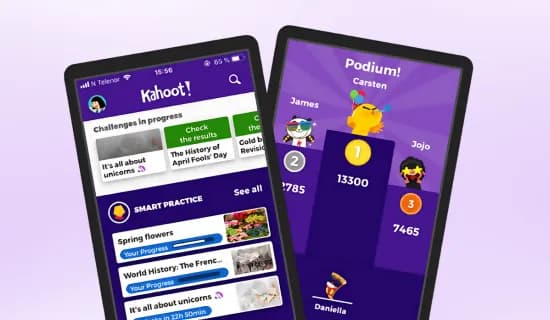
Gamified Learning with Kahoot
Engage in interactive quizzes and games with Kahoot to make learning fun, competitive, and more effective.
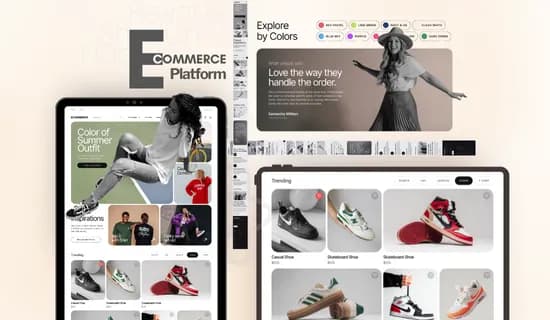
Production Grade Software Development Experience
Gain real-world experience by solving practical problems and building projects that simulate real-life programming scenarios.

CV Creation, Interview Prep & Job Search Assistance
Get expert support in crafting a professional CV, preparing for technical and behavioral interviews, and navigating the job market to land roles that align with your skills and career goals.

Student Success
Ambassador

Senior Students

Senior Engineering
Talent

Hiring partners

Career Coach

Mentor
Don't give up
you're surrounded




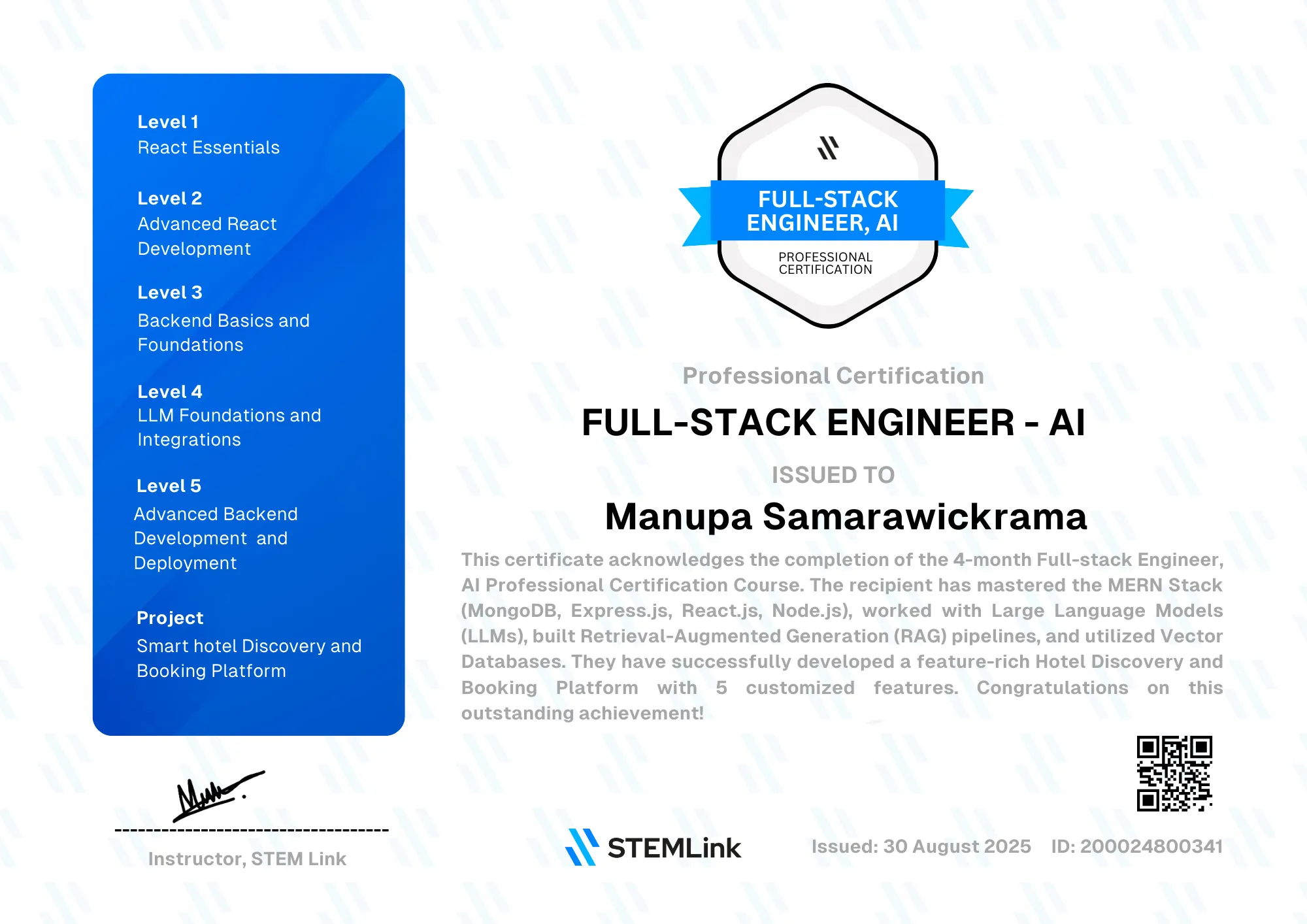
Will you be certified?
Of course! It'll look great
on your resume and LinkedIn
From Unfocused to Full-Stack Pros,
They Grew with Us








In just 3 weeks, I gained interview preparation and personal mentorship, helping me land my dream internship opportunity. STEM Link provides unmatched learning experiences.

Dulneth Bernard
IIT
An incredible learning experience with structured content and patient instructors covering MongoDB, Express, React, and deployment. Thanks to Manupa and Dilshara for their dedication!

Tharusha Kulasinghe
IIT
A well-structured course with supportive instructors. I gained confidence and comprehensive knowledge. Thank you for an amazing bootcamp experience !

Sandun Nayanajith
University of Kelaniya
The course bridged my knowledge gaps and deepened my understanding of Full-Stack concepts. Thank you, STEM Link, for delivering valuable learning experiences .

Daniru De Silva
University of Moratuwa
As a first-year undergraduate, this course advanced my knowledge beyond expectations. Special thanks to Manupa Aiya and Dilshara Aiya for their exceptional guidance.

Dulran Hemjitha
Java Institute
This 12-week MERN stack course provided clear guidance and practical projects, including LLMs integration. It's a portfolio-strengthening program for web development enthusiasts.

Chamod Tharuka
NSBM Green University
This course has been a key highlight of my learning journey. The clear explanations and practical examples helped me significantly enhance my front-end and back-end skills.

Sandeepa Muthumal
USJ
I was curious about the MERN stack but stuck in tutorial hell. This course's structure and support helped me master MERN, learn new technologies, and land my first job.

Husni Haniffa
ICBT
STEM Link's mentorship and practical guidance helped me enhance my skills, ace interviews, and secure my internship at Pram IT Solutions.Their support was truly invaluable!

Bethmi Jayamila
IJSE
Explore Our Learning Tracks
Get a Solid Foundation on React Framework as a Frontend Dev
Dive into the fundamentals of React and lay the groundwork for building dynamic, responsive user interfaces. Learn how to create reusable components, manage state effectively, and design beautiful, modern UIs with Tailwind CSS and ShadCN. This module is perfect for kickstarting your journey as a React developer.
What you will do in practice:
Software and languages you will learn:

Still not sure whether this program is
right for you ?
Book a call with our career advisers to learn how we can
accelerate your IT journey from months to just weeks





AI-Driven Full-stack
Development Bootcamp
and tour best in class learning benefits.
Our Quality Assurance
Framework
We believe in complete transparency. Here's exactly how we
evaluate and certify our students with excellence.