
Mastering FlutterFlow: Build Complex UIs Without Coding
Explore the transformative capabilities of FlutterFlow, a no-code app development platform that allows you to design complex UIs effortlessly. Discover its drag-and-drop interface and advanced features that make creating responsive applications a breeze, even for beginners.
FlutterFlow, Build Complex UIs Without Coding
Embarking on a journey in app development no longer requires steep learning curves in programming. With FlutterFlow, you can create intricate interfaces all without typing a single line of code. This revolutionary platform offers a no-code UI development experience, making it accessible to beginners and seasoned designers alike.
Understanding the FlutterFlow Environment
Before diving into FlutterFlow complex UI design, it’s essential to familiarise yourself with the platform. FlutterFlow provides a drag-and-drop interface, facilitating a seamless design process. The intuitive layout allows you to incorporate components effortlessly, enabling quick visual prototype creation.
Getting Started: The Drag-and-Drop Interface
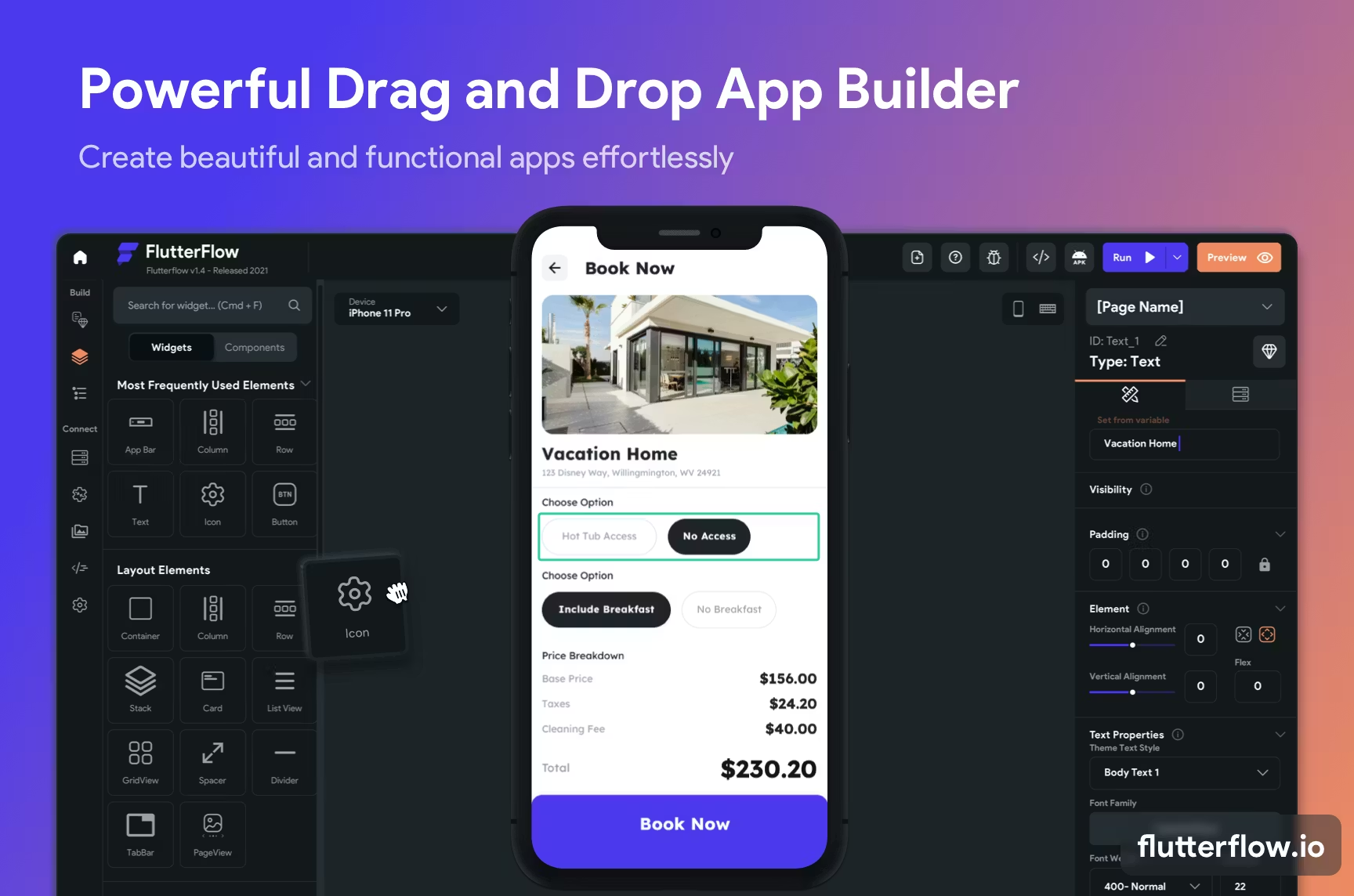
The heart of FlutterFlow’s appeal lies in its drag-and-drop interface. This feature simplifies the UI construction process by allowing users to select components and place them directly on the canvas. Whether you’re adding buttons, text, or images, you can easily customize each element to match your design vision.
Building Complex UIs with FlutterFlow
To build complex UIs without coding, it’s crucial to utilize advanced features within FlutterFlow. These tools cater to more sophisticated design needs, ensuring your application not only functions well but also stands out.
Advanced FlutterFlow Tutorials: Elevate Your Skills
Engaging with advanced FlutterFlow tutorials can elevate your design skills. These resources provide detailed walk-throughs on integrating animations, setting up user authentication, and handling state management, among other complex tasks. By mastering these tutorials, you’ll be equipped to create more intricate and functional applications.
Utilizing the Action Flow Editor
The FlutterFlow action flow editor is a powerful tool for adding dynamic functionality to your applications. This editor enables you to define actions and responses triggered by user interactions, such as button clicks or page transitions. The visual nature of this tool ensures that even those new to UX design can achieve impressive results.
Custom Widgets and Design System Integration
For a truly personalized application, leveraging FlutterFlow custom widgets is vital. By designing custom widgets, you introduce unique components tailored to your specific needs. Moreover, integrating with existing design systems ensures consistency across UI elements, enhancing the user experience.
Design custom widgets to match your brand identity.
Utilize FlutterFlow design system integration for consistency.
Test and iterate designs rapidly.
Responsive Design and Deployment
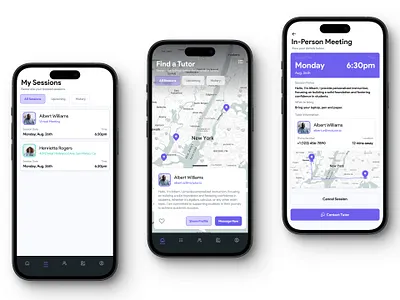
Ensuring your application adapts to various device screens is critical. FlutterFlow responsive design capabilities allow you to structure your layouts fluidly, ensuring a seamless experience across smartphones, tablets, and desktops.
Ensuring Responsiveness Across Devices
With FlutterFlow, creating a responsive design involves defining breakpoints and adjusting UI components accordingly. These breakpoints allow the app to respond to different screen sizes, maintaining both functionality and aesthetic appeal.
From Design to Deployment
After perfecting your app’s design, the deployment process within FlutterFlow is straightforward. FlutterFlow facilitates easy deployment to both Android and iOS platforms, ensuring broad user accessibility.
Set up Firebase for backend support.
Configure deployment settings in FlutterFlow.
Utilize the FlutterFlow app deployment feature to launch your app.
Integrating Backend Services
Beyond UI design, successful apps rely on robust backend support. FlutterFlow Firebase integration provides this, offering seamless data management, analytics, and user authentication capabilities.

Seamless Firebase Integration
Firebase serves as a powerful backend solution when paired with FlutterFlow. Integration involves setting up databases, configuring user authentication, and managing cloud functions.
Create a Firebase project and configure essential features.
Integrate Firebase Authentication for secure user sign-ins.
Utilize Firestore databases for dynamic data handling.
Key Takeaways and Next Steps
Mastering FlutterFlow involves understanding its diverse toolkit, from the simplicity of drag-and-drop to the complexities of custom widgets and responsive design. Aspiring app developers benefit immensely from advanced FlutterFlow tutorials that open gateways to build complex UIs without coding.
As you progress, consider pairing your skills with formal education. Enroll in a STEM Link bootcamp to further fortify your abilities in full-stack development or UI/UX design, aligning your learning with current industry demands.
With these foundational skills, you are well on your way to creating impressive mobile applications that captivate users and meet the growing demands of the tech industry.
You may also like

What Is TypeSafe AI?
Discover Jev, TypeSafe AI’s System One Model for fast, type-safe, calibrated AI decisions built for software automation.

What Is Paperclip and How Does It Help You Manage AI Agent Teams?
Learn what Paperclip is, how it manages AI agent teams, controls costs, enables human approvals, and coordinates agents across different AI runtimes.

How Do You Actually Teach Engineering Judgment?
Learn how STEMLink teaches engineering judgment through a four-step approach: learn, build, test limitations, and understand why real-world systems need more.