
Figma's MCP Server
Not just a plugin. A structural fix to how AI understands your design system.
Figma's MCP Server
Not just a plugin. A structural fix to how AI understands your design system.
If you've been watching the MCP space, you've heard that Figma now has an MCP server. The surface read is: 'Cool, AI can read Figma files now.' That undersells what's actually happening.
Model Context Protocol is an open standard, originally from Anthropic, that gives AI systems a standardized way to connect with external tools. One MCP server, any compatible AI client. Figma building one means the structured design data inside your files, components, variables, tokens, auto-layout rules, variant states, is now something an AI can reason about directly. Not by guessing from a screenshot. By actually understanding it.
What the server actually exposes
When an LLM looks at a PNG of your design, it's doing pixel inference. It's guessing. When it talks to Figma's MCP server, it gets the real design system data: exact token names, spacing values, component states, responsive constraints. The same context a developer needs to implement things correctly.
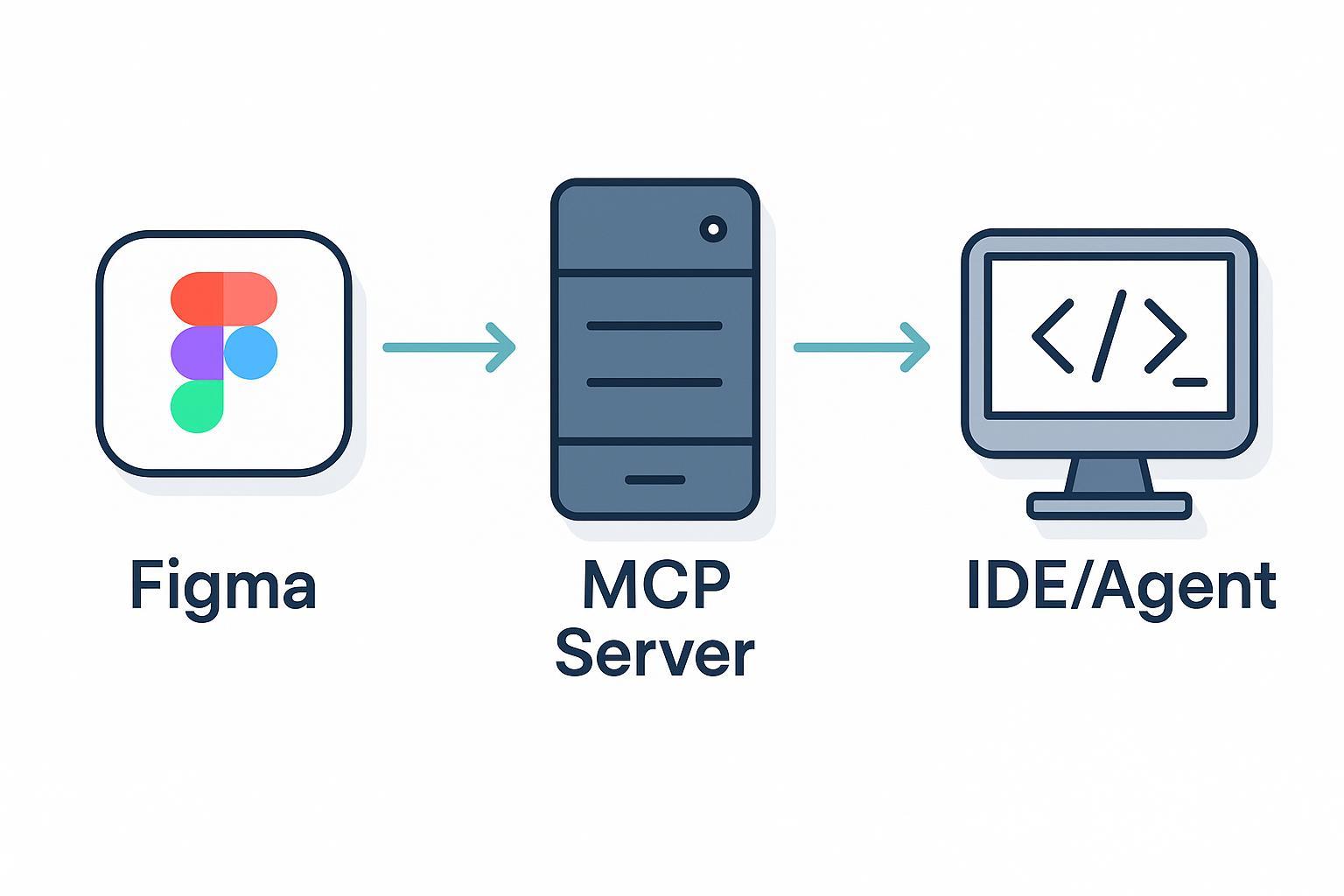
Questions that used to require a designer to answer in a handoff doc or Loom video, the AI can now just ask the server directly.
That includes things like: what token is this color? Is this spacing hardcoded or auto-layout? What variants does this component have? That context used to live in someone's head or in a stale Notion doc. Now it's directly addressable.
Why this is different from every export tool before it
Figma has tried to solve the design-to-dev gap before. Inspect, Dev Mode, plugin-based code generators. All of them had the same problem: they were static outputs, not live interfaces. The code they generated went stale the moment the design changed.
MCP flips that. Design data becomes a live input to the AI's reasoning, not a one-time export. When the design updates, the next query reflects it automatically. And because the AI knows the actual variant structure of your components, it can ask meaningful clarifying questions: 'This button has a disabled state, should I implement that too?' That's not possible from a screenshot.
What to watch
File hygiene matters more now. Unnamed layers, detached components, hardcoded values, the MCP server exposes all of it faithfully. Garbage in, garbage out, just faster.
The longer play is cross-tool coordination. GitHub already has an MCP server. As more tools follow, the powerful workflows aren't AI reading one tool, they're AI coordinating across several: read the Figma file, check the GitHub issue, write the PR. The protocols exist today. The workflows are catching up.
Figma's MCP server is practical infrastructure, not a novelty. If you're using an AI coding tool without piping in structured design context, you're accepting unnecessary inaccuracy. The design-to-dev handoff has been a friction point for years. This is the first structural solution, not just a better export format.
You may also like

What Is TypeSafe AI?
Discover Jev, TypeSafe AI’s System One Model for fast, type-safe, calibrated AI decisions built for software automation.

What Is Paperclip and How Does It Help You Manage AI Agent Teams?
Learn what Paperclip is, how it manages AI agent teams, controls costs, enables human approvals, and coordinates agents across different AI runtimes.

How Do You Actually Teach Engineering Judgment?
Learn how STEMLink teaches engineering judgment through a four-step approach: learn, build, test limitations, and understand why real-world systems need more.